![How to Sell Digital Products Online in 2025 [Step-by-Step].](https://staging.cartcoders.com/blog/wp-content/uploads/2025/07/How-to-Sell-Digital-Products-Online-in-2025-Step-by-Step-950x500.webp)
Thinking about selling digital products online? You’re not alone. From ebooks and design files to music, software, and online courses, digital goods are everywhere now.
The best part? You don’t need a warehouse, shipping labels, or even physical stock.
Selling digital products is one of the easiest ways to earn online. You create it once and sell it again and again. Sounds simple, right? It can be—if you follow the right steps.In this guide, I’ll walk you through everything you need to get started and make sales.

What Counts as a Digital Product?
A digital product is anything you can sell and deliver online—no shipping, no packaging, no physical stuff. It’s made once and downloaded or accessed again and again.
Here are some popular examples:
- Ebooks and PDFs — great for writers, coaches, or anyone with helpful info to share
- Design templates — Canva, PowerPoint, resume, or social media templates
- Online courses — video lessons, workbooks, and tutorials
- Music and audio — sound effects, background tracks, voiceovers
- Software or digital tools — SaaS apps, plugins, or scripts
- Stock media — icons, illustrations, video clips, photos
Each type fits a different skill set and target buyer. Some people earn from one standout product. Others build a full store around a niche, like Notion templates for freelancers or presets for mobile photographers.
How to Start Selling Digital Products Online: Step-by-Step

Selling digital products isn’t about flashy launches or building a huge store on day one. It’s about starting with something small, useful, and well-presented.
Here’s how to do it—step by step.
Step 1: Choose a Product You Can Build Yourself
Pick something you can create without hiring a team. Focus on skills you already have or tools you’re familiar with.
Examples:
- A Notion planner for freelancers
- A simple Excel budget tracker
- Resume templates for designers
- A recorded mini-course on a niche topic
Don’t try to cover every category. Pick one thing and shape it well.
Step 2: Check If People Are Willing to Pay
You don’t need to guess. Look for signs of demand before you invest time building anything.
Here’s how to test it:
- Search Gumroad, Etsy, or Payhip for similar products
- Join Facebook groups or Reddit threads and ask questions
- Post a teaser on your socials and track engagement
- Build a landing page with a short pitch and email signup
If strangers show interest—or better, share their emails—it’s a green light.
Step 3: Create the Product Using the Right Tools
Use beginner-friendly tools to build version one. Don’t worry about perfection. Focus on clarity and function.
Tool examples by product type:
| Product Type | Tools You Can Use |
| Templates | Canva, Google Docs, Figma |
| PDFs & Guides | Canva, Notion, MS Word |
| Online Courses | Loom, Notion, Teachable |
| Audio Files | Audacity, GarageBand |
| SaaS or Tools | Softr, Glide, Bubble, Custom |
Keep file sizes manageable. Always preview them on both desktop and mobile.
Step 4: Pick a Platform That Fits Your Needs
Where you sell matters. Some platforms do the heavy lifting for you, while others give more control.
Options to consider:
- Shopify: Best for building a full digital store with automation
- Gumroad: Great for creators who want to sell fast
- Payhip: Supports files, courses, and coupons out of the box
- Etsy: Works well for printables, planners, and design templates
- WooCommerce: Ideal if you already have a WordPress site
Don’t overthink it—choose the perfect eCommerce platform that fits your current stage. You can always move later.
Step 5: Set Up Payments and Delivery
Your buyers expect instant access. That means setting up payment and delivery automation from the start.
For example:
- Shopify: Use the Digital Downloads app or a third-party plugin
- Gumroad / Payhip: These handle both checkout and product delivery
- Your site: Use Stripe or PayPal with a file delivery tool like SendOwl
Always send a confirmation email with a download link. Double-check that the link works before launching.
Step 6: Write a Product Page That’s Clear and Honest
People won’t buy unless they understand what they’re getting. Avoid long paragraphs and vague promises.
Instead, include:
- A short headline that explains the product
- Bullet points showing what’s inside
- A sample image, demo video, or short preview
- Info about file format, delivery, and any usage terms
Speak like a person, not a product manual. Be helpful and specific.
Step 7: Set a Price That Makes Sense
Digital pricing is flexible, but don’t underprice just to get started. Buyers often link price to quality.
Tips for pricing:
- Start between $9–$39 for single-use products
- Offer bundles for $49+ if you have multiple items
- Create tiers: personal use vs. commercial use licenses
- Increase price after your first 10–20 sales or great reviews
Experiment and adjust. There’s no fixed formula.
Step 8: Publish and Announce It
Once your product page is ready, hit publish. Share it with the people who showed early interest.
Ways to announce:
- Email your list (even if it’s small)
- Post on LinkedIn, Twitter, or Instagram
- Share in relevant Facebook groups or subreddits
- Ask your first buyers for feedback or reviews
Focus on reaching your first 10 buyers. That’s when you’ll start seeing what works—and what needs tweaking.
Build a Store That Sells While You Sleep
Create once, sell forever. Your digital product business starts here.


Where to Sell: Platforms and Tools That Work
There’s no shortage of platforms to sell digital products, but not all of them are worth your time. Some are beginner-friendly with built-in features. Others give you more freedom, but require setup.
Here’s a comparison to help you choose:
| Platform | Best For | Pros | Pricing |
| Shopify | Full control and branding | Custom design, app support, SEO tools | Starts at $39/month |
| Gumroad | Quick launches and small catalogs | No setup cost, handles VAT | Free + 10% per sale |
| Payhip | Courses, ebooks, and digital files | Coupons, bundles, EU VAT compliant | Free or $29/month |
| Etsy | Templates, art, and printables | Built-in traffic, easy listings | 6.5% fee + listing fee |
| WooCommerce | WordPress users | Open-source, complete flexibility | Hosting + plugins vary |
Tips for choosing:
- Go with Shopify if you’re building a brand or plan to scale.
- Choose Gumroad or Payhip if you want a simple storefront without tech hassle.
- Use Etsy only if you’re targeting buyers who already shop for creative templates or printables.
- If you already have a blog on WordPress, WooCommerce can work, but expect more setup time.
Don’t worry about picking the perfect tool. What matters is getting your product in front of people. You can always migrate from existing platforms later when you grow.
What Sells Best? (Real Examples)
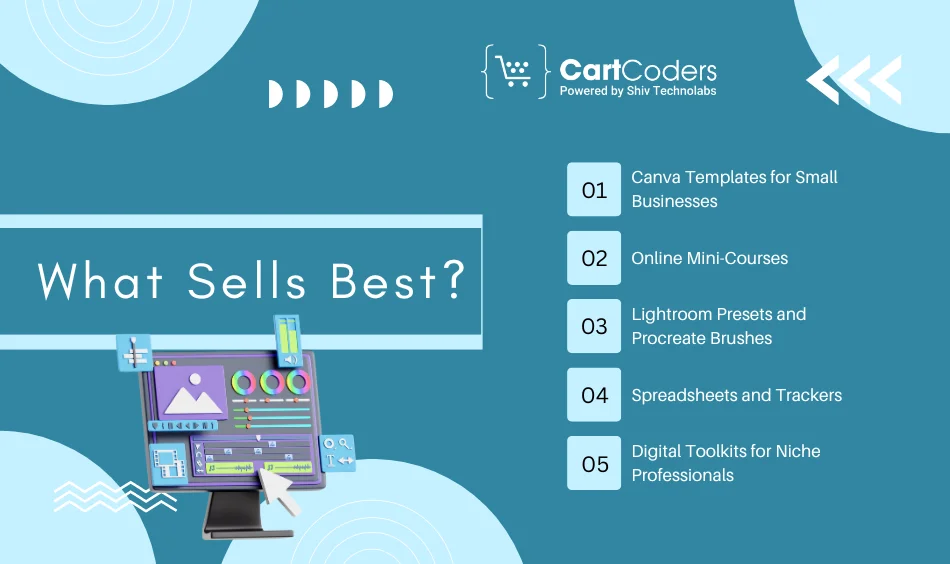
Not every digital product sells well. The ones that do tend to solve a specific problem or save people time. You don’t need a massive audience to succeed—you just need something useful and presented.
Here are some products that are working well:
Canva Templates for Small Businesses
These include social media posts, pitch decks, business cards, and presentation slides.
People love ready-to-edit designs they can use instantly.
- Typical price: $12–$45
- Best place to sell: Etsy, Gumroad, Shopify
Online Mini-Courses
Short, focused courses—like “How to Write a Cold Email” or “Notion for Freelancers.”
They don’t require a big curriculum, just useful content and a clear outcome.
- Typical price: $25–$150
- Best place to sell: Payhip, Shopify, Teachable
Lightroom Presets and Procreate Brushes
Great for photographers and digital artists. These are ready-to-use files people can apply to their work.
- Typical price: $5–$30
- Best place to sell: Gumroad, Etsy
Spreadsheets and Trackers
Budget planners, fitness logs, subscription trackers, and invoice generators—these save time for freelancers, parents, and side hustlers.
- Typical price: $9–$25
- Best place to sell: Shopify, Payhip, Etsy
Digital Toolkits for Niche Professionals
Think HR bundles, legal contracts for freelancers, or brand kits for coaches.
These often command higher prices because they’re specialized.
- Typical price: $49–$199
- Best place to sell: Shopify or personal websites
You don’t need to reinvent anything. Improve an existing idea, make it clearer, or tailor it to a new audience. Focus on quality and usefulness—those two things still win.
CartCoders Can Help You Launch the Right Way
If you’re serious about selling digital products and want more than just a quick setup, we can help.
At CartCoders, we build Shopify stores designed specifically for digital goods. That means fast product delivery, clean layout, simple checkout, and the right apps in place from day one.
Whether you’re selling one ebook or an entire library of templates, we’ll help you set up a store that works—and scales when you’re ready.
Want to talk about your idea? Reach out. We’ll help you move from product to store without the usual confusion.
Ready to Start Selling? Here’s Your Next Step
You don’t need to overplan or wait for the perfect time. Start with one product. Focus on making it useful. Pick a platform that fits your pace and launch.
Selling digital products is one of the simplest ways to build income online, but it only works when you begin. So pick an idea, build something real, and share it. You’ll learn faster by doing than thinking.And if you want help setting up a Shopify store that sells, the CartCoders team is just one message away.


