Online grocery shopping has become a habit for millions of people. In the U.S. alone, grocery eCommerce is projected to reach $187 billion by 2025. For businesses, this is no longer an optional channel—it’s a must-have. When people think of a successful online grocery experience, Kroger often comes to mind. It blends wide product selection, easy checkout, loyalty programs, and reliable delivery.
Build a Grocery Site Like Kroger Online
Multi-vendor, delivery slots, and inventory sync


If you are wondering “How can I build a website like Kroger?” or “What features should an online grocery store have?”—this blog will give you the answers. We’ll cover features, platforms, development steps, and detailed cost breakdowns.
What Is a Kroger Clone Website?
A Kroger clone website is a custom-built online grocery platform that mirrors the features and shopping flow of Kroger’s digital store. It allows users to:
- Browse thousands of products with filters and categories
- Place orders online for home delivery or store pickup.
- Track orders in real time.
- Access loyalty rewards and personalized discounts.
Unlike basic eCommerce sites, a clone website focuses on the specific needs of grocery retail—inventory management, delivery scheduling, and repeat purchases.
In simple terms, a Kroger clone gives you the foundation of a proven model while letting you brand and customize it for your business.
Why Businesses Should Consider a Kroger-Like Website
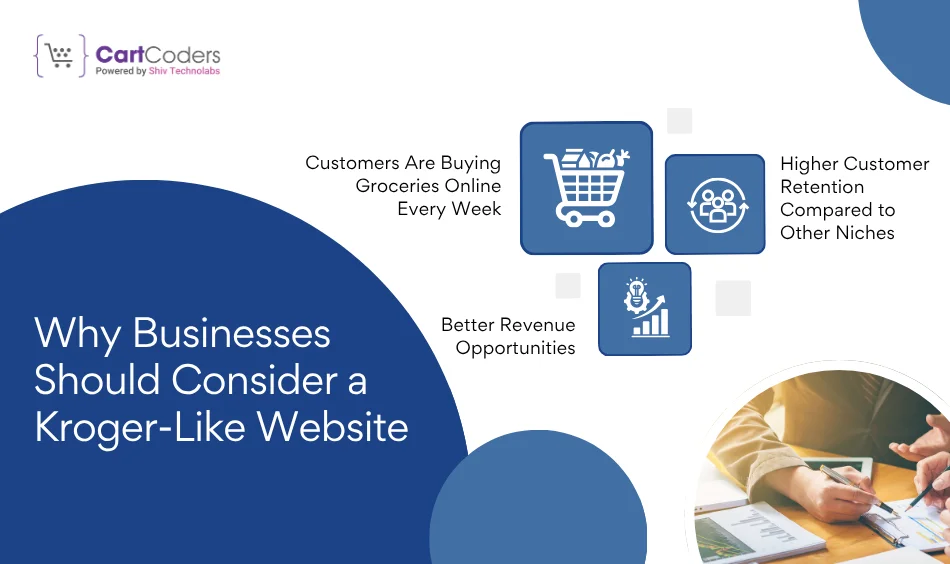
1. Customers Are Buying Groceries Online Every Week
The average U.S. household places two or more grocery orders per week online. That means demand is steady, not seasonal.
2. Higher Customer Retention Compared to Other Niches
Groceries are repeat purchases. Unlike electronics or furniture, customers keep coming back—making the business more stable.
3. Better Revenue Opportunities
You can add revenue through:
- Delivery charges
- Subscription memberships
- Sponsored product placements
- Partnerships with local suppliers
Building a Kroger-like platform helps businesses capture this growing segment and keep buyers loyal.
Key Features of a Kroger Clone Website
When building your own online grocery platform, features play the biggest role. Let’s break them down into user-facing, admin-facing, and advanced capabilities.
A. User-Facing Features
These are the tools shoppers expect every time they open a grocery site:
- Quick Registration & Login – Email, phone, or social login.
- Advanced Search & Filters – Find items by brand, price, or dietary preference.
- Cart & Checkout – Simple process with multiple payment options.
- Wishlist & Reorder – Save favorites and reorder past carts.
- Delivery Slot Booking – Pick a convenient delivery time.
- Order Tracking – Real-time updates on packing, shipping, and delivery.
B. Admin & Vendor Features
Admins need powerful tools to manage thousands of SKUs and orders.
- Dashboard Analytics – Sales, revenue, and customer data.
- Inventory Management – Low-stock alerts and automated updates.
- Supplier Management – Onboard vendors, track payments, update catalogs.
- Discounts & Coupons – Run seasonal sales or loyalty campaigns.
- Customer Support Integration – Live chat or chatbot support.
C. Advanced Features for Growth
If you want your website to stand out, advanced features help build trust and repeat sales.
- AI-Driven Recommendations – Suggest items based on past orders.
- Voice Search – Shoppers can add items with a simple command.
- Multi-Language & Multi-Currency – Reach customers across regions.
- Subscription & Auto-Reorder – Perfect for milk, bread, or weekly essentials.
- Third-Party Delivery Integration – Partner with courier services for flexibility.
Build Grocery Store That Works Like Kroger
Aisles, brands, coupons, and smart cart logic
How Features Impact the Cost of a Kroger Clone Website
Adding advanced features directly increases development time and budget. A basic site might meet short-term needs, but businesses planning for growth often choose mid-level or advanced options.
| Feature Set | Estimated Cost (USD) | What’s Included |
| Basic Features | $8,000 – $12,000 | Registration, catalog, cart, checkout, payments |
| Mid-Level Features | $15,000 – $25,000 | Loyalty points, coupons, delivery slots, tracking |
| Advanced Features | $30,000 – $50,000+ | AI recommendations, multi-language, subscriptions, integrations |
Best eCommerce Platforms for Building a Kroger Clone Website
When you decide to build a Kroger-like online grocery store, the choice of platform is one of the most important decisions. Each platform comes with its own pricing, flexibility, and scalability. Below is a clear comparison of the top five platforms businesses often consider.
Shopify – The Most User-Friendly Option
Shopify is widely considered the best option for launching an online grocery store. It offers:
- A simple setup process.
- A wide range of apps for delivery, subscriptions, and loyalty.
- Secure hosting and built-in payment gateways.
For small and mid-sized grocery businesses, Shopify provides a fast go-to-market approach without worrying about server management or technical hurdles.
WordPress with WooCommerce
WooCommerce is a plugin for WordPress that turns your website into a full eCommerce store.
- It’s open-source and flexible.
- You can add almost any feature through extensions.
- Hosting, security, and updates need to be managed separately.
It’s a good fit for businesses that want full control and already have WordPress expertise.
Magento (Adobe Commerce)
Magento is built for large-scale grocery stores and enterprises.
- The open-source version is free, but development and hosting costs add up.
- Adobe Commerce (the paid version) starts at around $22,000 per year.
- It supports heavy traffic, multi-store setups, and enterprise integrations.
This is best for businesses with larger budgets and high transaction volumes.
BigCommerce
BigCommerce is a hosted eCommerce platform similar to Shopify but with stronger built-in features for scaling.
- No platform transaction fees.
- Works well for high-volume grocery stores.
- Pricing starts at $39/month, but advanced plans go higher.
It’s ideal for mid to large businesses that expect quick growth and need strong native features.
Drupal with Commerce
Drupal Commerce is highly customizable but requires skilled developers.
- Excellent for businesses that need unique workflows.
- Strong in security and content management.
- Costs vary widely depending on project complexity.
It’s better suited for enterprises or organizations with dedicated IT teams.
Platform Comparison for a Kroger Clone Website
Choosing the right platform depends on your budget, timeline, and business size. Here’s a quick comparison:
| Platform | Starting Cost (USD) | Best For | Pros | Cons |
| Shopify | $39/month + apps | Small to mid-sized stores | Easy to launch, secure hosting, app ecosystem | Monthly fees, limited deep customization |
| WordPress + WooCommerce | $200 – $1,500/year | Businesses with WP skills | Open-source, flexible plugins | Needs hosting & manual security |
| Magento (Open Source) | Free license, $10k+ dev costs | Large enterprises | Scalable, enterprise-ready | Complex, expensive setup |
| Adobe Commerce (Magento Paid) | $22,000+/year | Large enterprises | Enterprise support, multi-store | Very high cost |
| BigCommerce | $39 – $399/month | Growing businesses | No transaction fees, strong native features | Costly at scale |
| Drupal Commerce | $5,000 – $200,000+ | Custom enterprise solutions | Highly customizable, secure | Requires expert dev team |
Step-by-Step Process of Developing a Kroger Clone Website
Once you choose the platform, the development process moves forward in stages. Each step matters because groceries involve thousands of products, multiple vendors, and complex logistics.
Step 1: Requirement Gathering & Planning
- Define your product catalog size
- Decide delivery options (home delivery, curbside pickup, store pickup)
- Plan loyalty programs, coupons, and payment gateways.
Step 2: UI/UX Design
- Wireframes for homepage, category pages, cart, and checkout.
- Design simple navigation so users find products quickly.
- Include trust factors like SSL, ratings, and contact details.
Step 3: Backend Development & Integrations
- Set up database and product categories.
- Add inventory management modules.
- Integrate delivery APIs, payment gateways, and CRM systems.
Step 4: Frontend Development
- Build responsive layouts that work on mobile, tablet, and desktop.
- Add interactive elements like filters, product sliders, and quick add-to-cart buttons.
Step 5: Testing & Quality Assurance
- Test for bugs, payment errors, and cart issues.
- Check compatibility across devices and browsers.
- Run security audits to protect transactions.
Step 6: Deployment & Launch
- Configure hosting and domain.
- Deploy the site to live servers.
- Soft launch with limited users before full release.
Step 7: Post-Launch Support
- Regular updates for security and performance.
- Add new features as customer needs grow.
- Monitor analytics to track sales and customer behavior.
How Long Does It Take to Build a Kroger-Like Website?
Timelines vary depending on complexity. Here’s an overview:
Project Timeline for a Grocery Website Development
The duration depends on whether you are building a basic, mid-level, or advanced solution.
| Project Type | Estimated Timeline |
| Basic Store (Shopify/WooCommerce) | 1 – 3 months |
| Mid-Level Grocery Platform | 3 – 6 months |
| Enterprise-Level (Magento/Drupal) | 6 – 12+ months |
Cost of Developing a Kroger Clone Website
The cost of a Kroger-like grocery website varies widely. It depends on features, platform, development approach, developer location, and the stages involved in the project. To make it clear, let’s break this down step by step.
What Do Features Add to Your Grocery Website Cost?
The more advanced features you add, the higher the cost. A basic site covers essentials, while advanced platforms include AI, subscriptions, and multi-vendor options.
| Feature Set | Estimated Cost (USD) | What’s Included |
| Basic Features | $8,000 – $12,000 | Catalog, cart, checkout, payments |
| Mid-Level Features | $15,000 – $25,000 | Coupons, delivery slots, loyalty system |
| Advanced Features | $30,000 – $50,000+ | AI recommendations, subscriptions, integrations |
Platform-Wise Cost Breakdown
Shopify is affordable to start, while Magento and Drupal require bigger budgets for enterprise-level builds.
| Platform | Estimated Cost (USD) | Notes |
| Shopify | $8,000 – $20,000 | Quick setup, monthly fees, paid apps add to cost |
| WordPress + WooCommerce | $10,000 – $22,000 | Hosting + plugins + security maintenance |
| Magento (Open Source) | $15,000 – $40,000+ | Free license but high dev costs |
| Adobe Commerce (Paid) | $25,000 – $60,000+ | Premium license fees + enterprise dev |
| BigCommerce | $12,000 – $28,000 | SaaS fees + customization |
| Drupal Commerce | $20,000 – $80,000+ | High flexibility, enterprise-level costs |
Choosing the Right Development Model
The model you select—template-based or fully custom—directly impacts your costs.
| Development Model | Estimated Cost (USD) | Best For |
| Template-Based Setup | $5,000 – $10,000 | Quick MVPs and small businesses |
| Custom Development | $20,000 – $50,000+ | Mid to large stores needing unique features |
| Hybrid Model | $12,000 – $25,000 | Mix of templates + custom modules |
Breaking Costs by Development Stages
A project moves through several stages. Each stage requires time and budget allocation.
| Stage | Estimated Cost (USD) |
| Discovery & Planning | $2,000 – $5,000 |
| UI/UX Design | $3,000 – $7,000 |
| Frontend Development | $5,000 – $12,000 |
| Backend Development | $8,000 – $18,000 |
| Integrations & APIs | $4,000 – $10,000 |
| Testing & QA | $3,000 – $7,000 |
| Deployment & Launch | $2,000 – $5,000 |
| Support (first year) | $5,000 – $10,000 |
Challenges to Consider Before Launching
Even with the right features and budget, building a grocery platform comes with challenges:
- Supply Chain Management – Coordinating vendors, warehouses, and delivery slots.
- Payment Security – Protecting customer card data and enabling trusted gateways.
- Scalability – Handling peak orders during weekends or holidays.
- Customer Retention – Building loyalty programs to keep repeat buyers.
- Regulatory Compliance – Meeting food and delivery regulations in each region.
Why CartCoders for Your Kroger Clone Development?
CartCoders, a leading eCommerce development company in USA, has worked with startups and enterprises to build powerful eCommerce solutions. Our team delivers custom grocery platforms with flexible features, integration options, and long-term support.
- Dedicated developers with grocery tech experience.
- Focus on building scalable solutions for repeat sales.
- Ongoing maintenance and upgrades for growth.
📌 Looking to build a Kroger-like website? Connect with CartCoders and get a tailored quote for your project.
Conclusion
Online grocery is growing faster than almost any other retail segment. A Kroger clone website offers businesses a ready model to enter this space and succeed. From cost breakdowns to platform choices, the path is clear: plan carefully, pick the right technology, and partner with experienced developers.


